Azure VNet Service Endpoints configured on Services like Azure Blob Storage ensure that the Storage Account is protected from access over the Internet. Only Applications that are deployed inside the VNet-Subnet configured can access the Blob Storage Account, and the traffic travels through the Azure Backbone network.
What if the Applications are deployed to a VNet-Subnet in a different Azure Subscription, that has a separate Azure AD Tenant from the one where the Azure Storage Account resides? This scenario can be implemented using Azure CLI or PowerShell, which is described here.
Considered here are 2 different Azure Subscriptions, each with different Azure AD Tenants, and I will be configuring a VNet Service Endpoint from one Azure Subscription to a Storage Account in the other.
1) Subscription 1 with ID “fa895…” shown below uses my Work credentials. This is where the Storage Account is created, and the screenshot depicts the state before the VNet Service Endpoint was added.
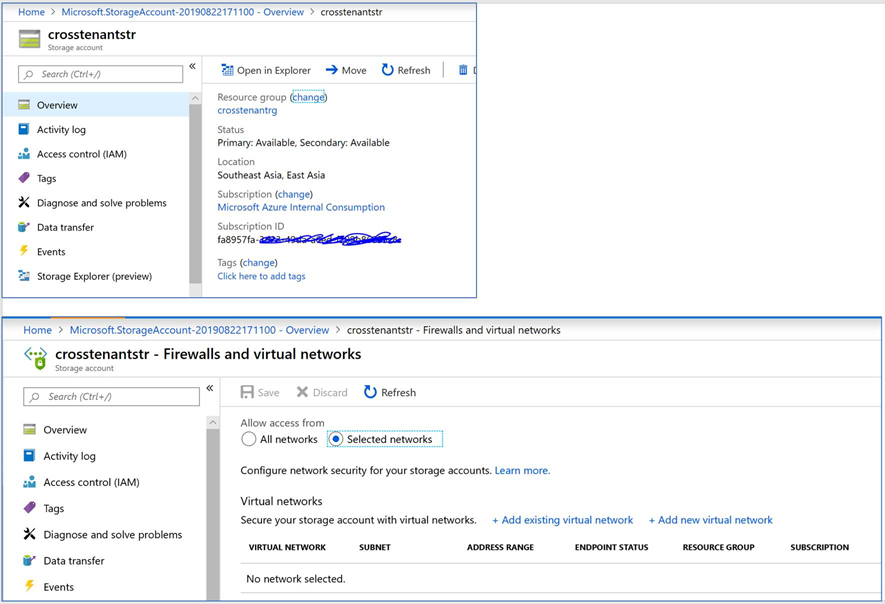
2) The screenshot below is from Azure Subscription 2 with ID “f58dda….” It has a different AD Tenant, and I will use my outlook.com credentials here. A VNet & a Subnet are created here, and Service Endpoint policy is enabled on this VNet for Azure Storage Provider. See screenshot below
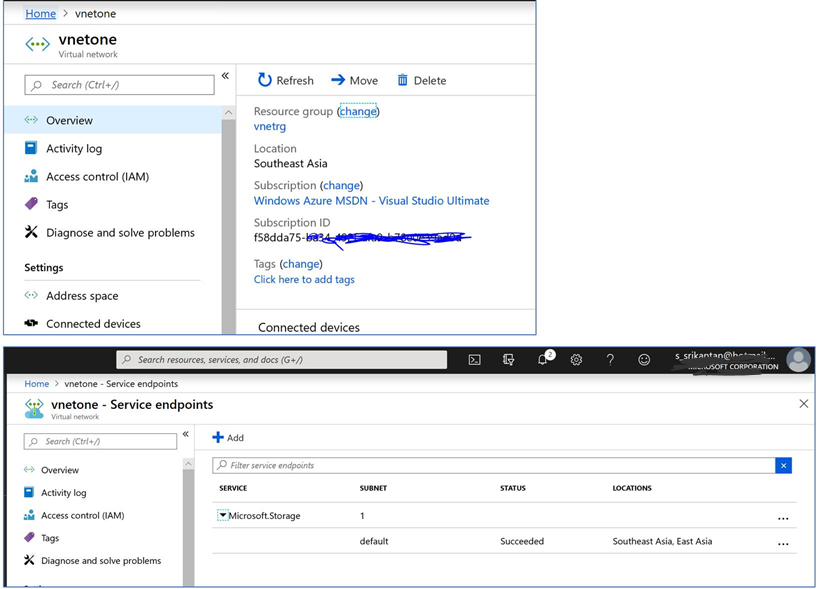
3) I have launched Azure CLI and signed into Azure Subscription 1, where the Storage Account exists. I have used the Subnet ID (Resource ID from Subscription 2) in when running the CLI command below:
az storage account network-rule add –account-name crosstenantstr –resource-group crosstenantrg –subnet “/subscriptions/<Subscription 2 ID>/resourceGroups/vnetrg/providers/Microsoft.Network/virtualNetworks/vnetone/subnets/default”
4) When I check the Storage Account now in Subscription 1, notice that the Service Endpoint has been added to the Storage Account.
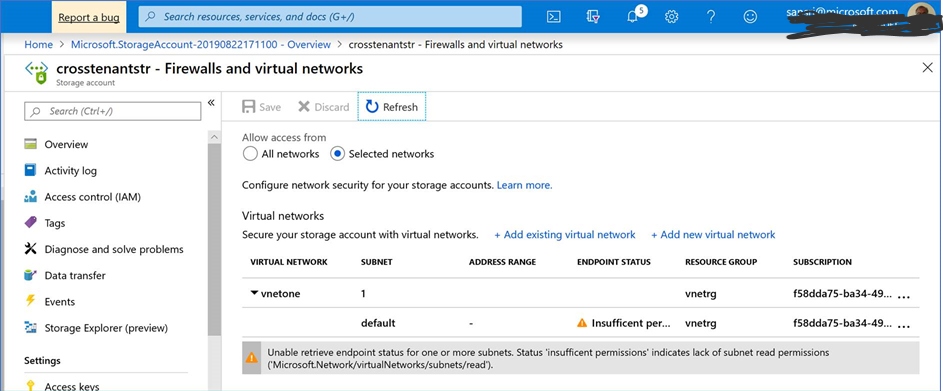
The warning seen above indicates that the logged in account in this Subscription cannot get the VNet Endpoint Status in the other Subscription, which has a separate AD Tenant.
5) I tried accessing the Storage Account using Storage Explorer from my laptop machine. As expected, it did not permit me since the Service Endpoint configured blocks access from the internet.

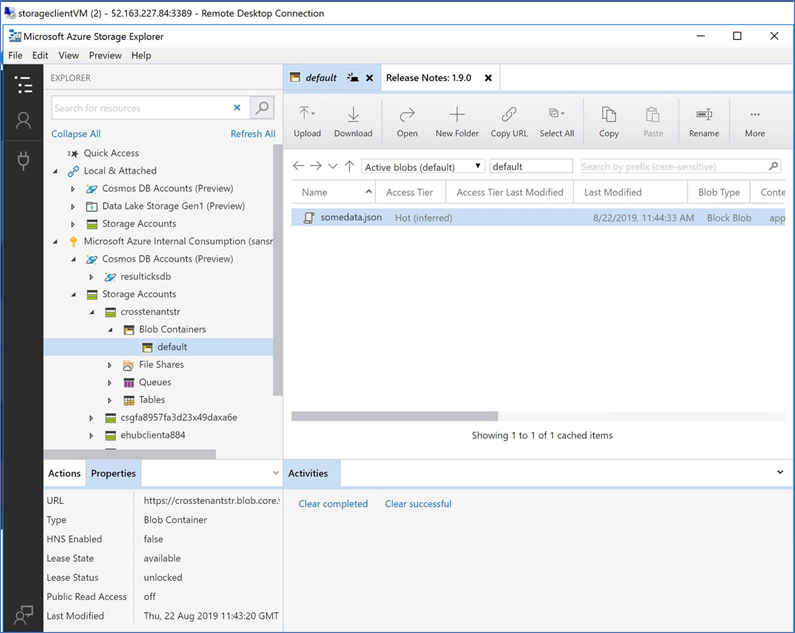
6) To check if it’s working, I have created a VM in Azure Subscription 2 inside the VNet and Subnet on which the Service Endpoint policy was set using CLI. Observe that I can access the Storage Account and the file within.

 Srikantan's Blog